
Parsely
Cooking with food allergies is common, adapting recipes safely isn’t.
Food allergy app concept for personalized recipe substitutions.
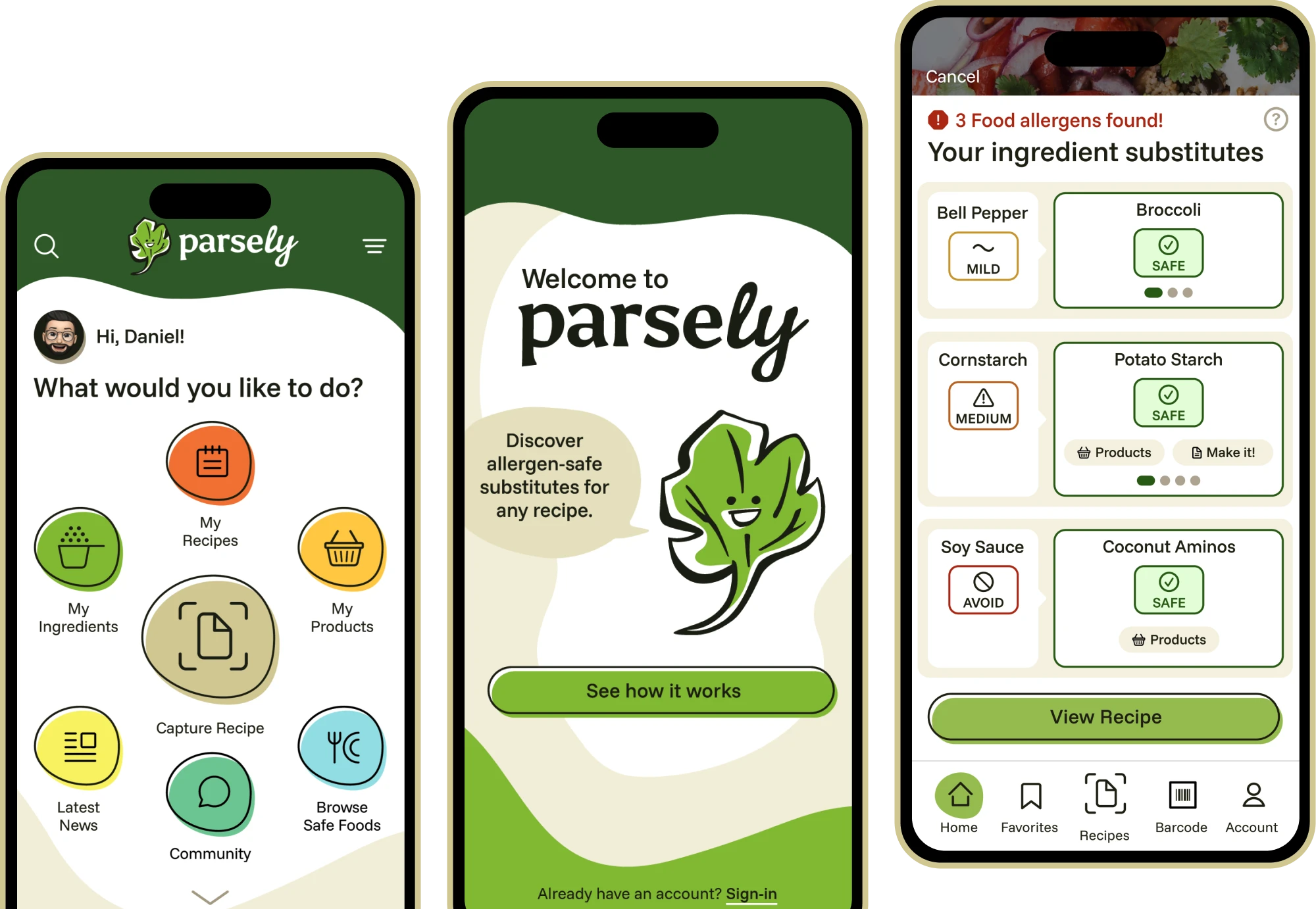
Existing food allergy apps help users filter recipes, but none offer personalized ingredient substitutions. Parsely scans recipes and recommends safe alternatives so users can cook with confidence.
Role
UX/Product Designer
Project Type
Solo concept project
Responsibilities
User research, information architecture, interaction design, branding, visual design, prototyping, usability testing
Platform
iOS app concept
Tools
Figma, FigJam, Optimal Workshop, Whimsical, Adobe Illustrator, Google Meet
Timeline
4 weeks
Research Insights
Research revealed that adapting recipes safely when cooking with food allergies is complex and time-consuming.
Secondary research
Secondary research into food allergies and dietary restrictions highlighted how widespread and challenging they are to manage in everyday cooking. Nearly 11% of U.S. adults (more than 27 million people) have at least one food allergy. 40% report managing two or more allergies. This significantly increases the pressure users feel when preparing meals.
The most common allergens – often referred to as the “Top 9”– include milk, eggs, fish, shellfish, tree nuts, peanuts, wheat, soybeans, and sesame. Because these ingredients appear frequently across everyday recipes, users must constantly evaluate risk before cooking.
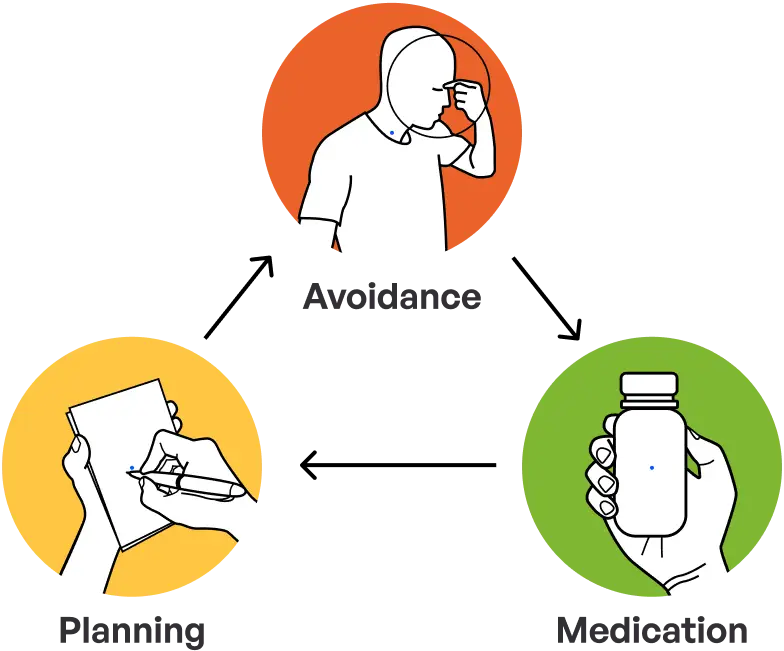
To prevent allergic reactions, individuals rely on a continuous cycle of ingredient avoidance, planning, and medication management. Users aren’t just looking for recipes – they need reassurance that the meals they prepare are safe.
User interviews x 5
Competitive landscape
Existing apps help users track allergens or scan ingredients, but none analyze recipes to generate personalized ingredient substitutions. Below are examples of how current tools support food allergy management.

Doesn’t intuitively swap safe recipe ingredients
No shopping list builder
Allergen-safe food product database
Recipe database
User community

Doesn’t intuitively swap safe recipe ingredients
No recipe database
No allergen-safe food product database
No shopping list builder
No user community

Doesn’t intuitively swap safe recipe ingredients
No recipe database
Allergen-safe food product database
Shopping list builder
User community

Doesn’t intuitively swap safe recipe ingredients
No recipe database
No allergen-safe food product database
No shopping list builder
User community
Research synthesis
Synthesizing revealed recurring challenges around cognitive load, limited meal variety and lack of trustworthy substitutions. These pain points guided prioritization toward solutions that reduce effort, expand safe options, and build user confidence.
Decision Fatigue
Managing food allergies requires constant ingredient verification, creating decision fatigue when adapting recipes.
Limited Meal Variety
Uncertainty around ingredient substitutions causes users to avoid unfamiliar recipes and rely on repetitive meals.
Access Friction
Finding allergen-safe ingredients often requires checking multiple stores, adding friction to everyday cooking decisions.
Key insights driving design
Recipe Analysis
Users avoid unfamiliar recipes because they cannot confidently identify safe ingredient substitutions.
Introduce expert-backed recipe analysis that evaluates recipes for unsafe ingredients and recommends personalized allergen-safe substitutions.
Product Availability
Finding allergen-safe ingredients often requires visiting multiple stores or searching several apps.
Integrate location-aware product availability so users can quickly identify nearby stores carrying safe ingredients.
USer Reviews
Users hesitate to try new recipes without reassurance that substitutions will work and remain safe.
Enable community reviews and ratings so users can quickly identify trusted recipes and substitutions.
Design Strategy
Clarifying the problem to guide the solution.
Research revealed that managing food allergies isn’t just about avoiding ingredients, it’s about navigating limited meal options and a lack of trust in existing tools. To translate these insights into actionable design decisions, I grounded the solution around a representative user and mapped the challenges they face throughout the cooking journey.
Daniel Desai


Age:
31
Occupation:
Software Engineer
Location:
Santa Clara, CA
Hobbies:
Music, tennis, drawing
Overview
Daniel is a software engineer who thrives on efficiency, but managing his soy, dairy, wheat and corn allergies has been wearing on him. Due to a recent promotion, his time is limited and needs a convenient solution to manage mealtimes. He’s all for using apps, but most of them don’t accommodate those with multiple dietary needs.
Frustrations
•
Burnt out cooking the same safe meals familiar to him
•
Busy work schedule leaves no time to find new meals
•
Most apps aren’t built for complex dietary needs like his
Goals
•
Make mealtime easier and less stressful
•
Save time planning and cooking meals
•
Find a reliable app that safely supports multiple food allergies
Daniel’s journey map
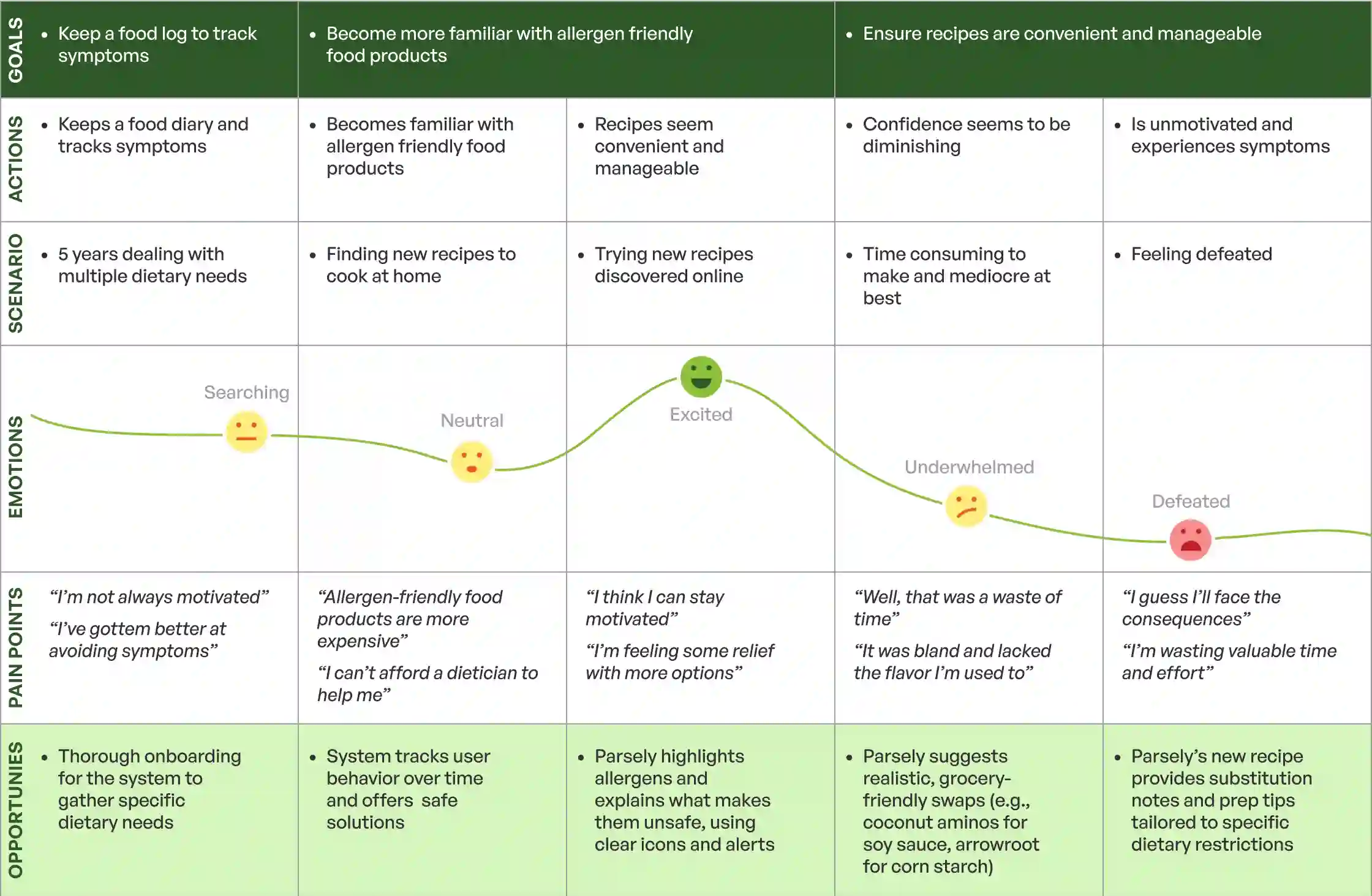
How might we give users easy access to allergen-safe recipes and expert-backed ingredient substitutions, ensuring confidence in their mealtime choices?
Solution Development
Turning strategy into a scalable, user-centered solution.
Information Architecture
The information architecture was designed to support frequent, confidence-driven actions such as recipe capture, ingredient review and saved content. This navigation is also simple and predictable.
My Dashboard
My Favorites
My Profile
Community
Onboarding *
Explore
Filter by
Recipe database
Food categories
Task Flow
Before discovering his dietary needs, Daniel collected several favorite recipes because he enjoyed cooking. To test Parsely’s recipe capture feature, he visits his Pinterest board and picks one.

Wireframes
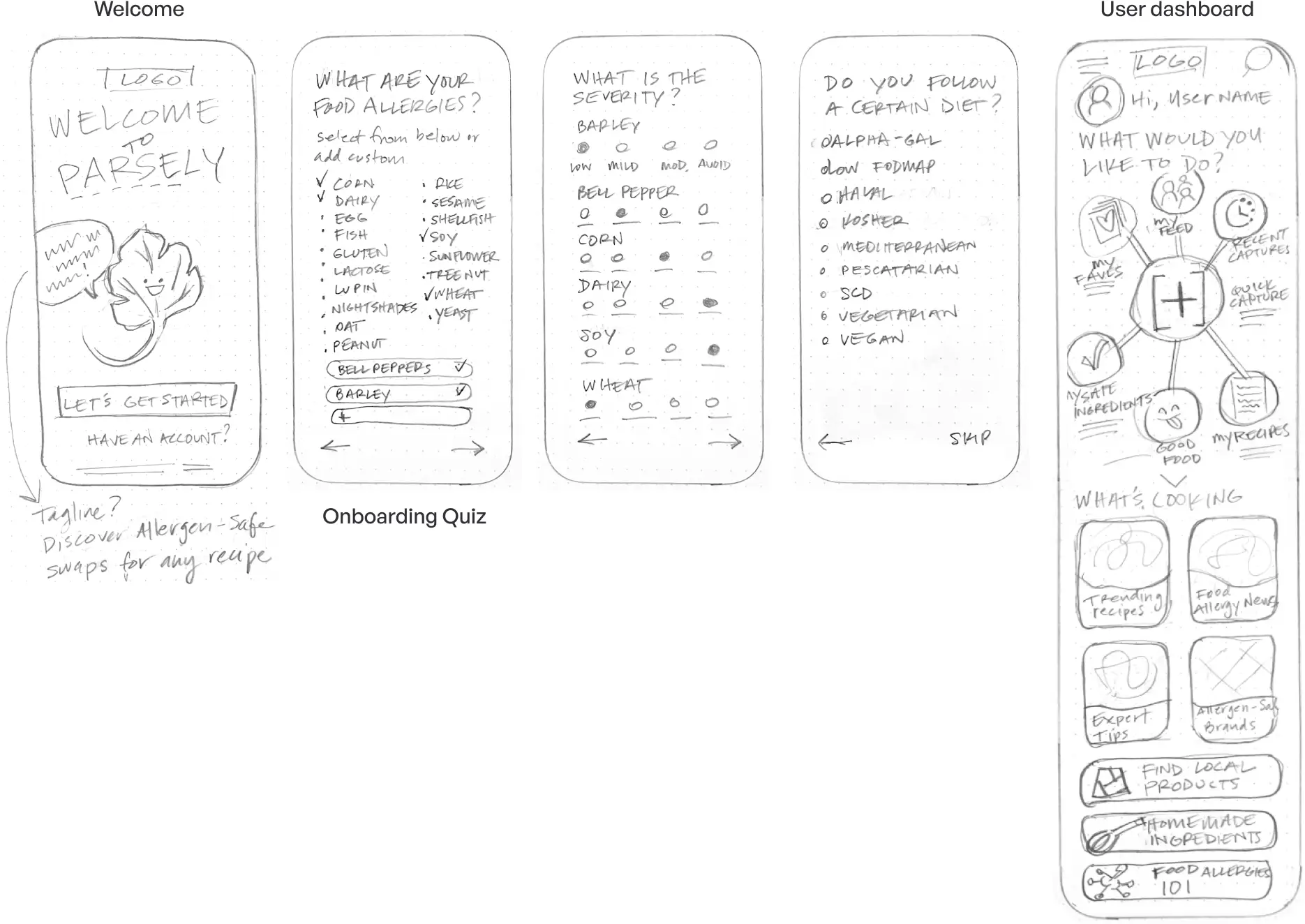
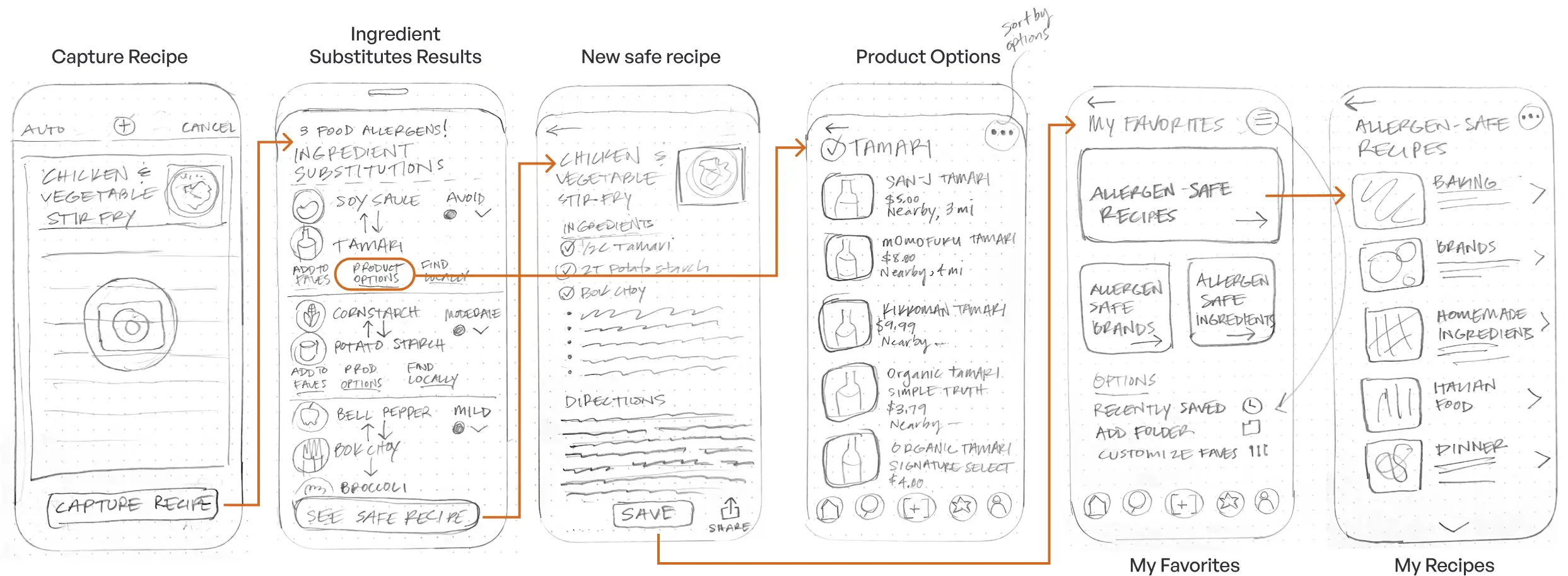
Low-fidelity wireframes allowed me to validate core flows and content hierarchy early, ensuring safety-critical information was clear before moving into visual design.
App Name
When deciding on a unique and memorable name for my app, I jotted down several words associated with the brand voice (confident, insightful, safe, positive). I landed on a clever word that combines the verb, to parse with the word parsley = “Parsely”.

Branding
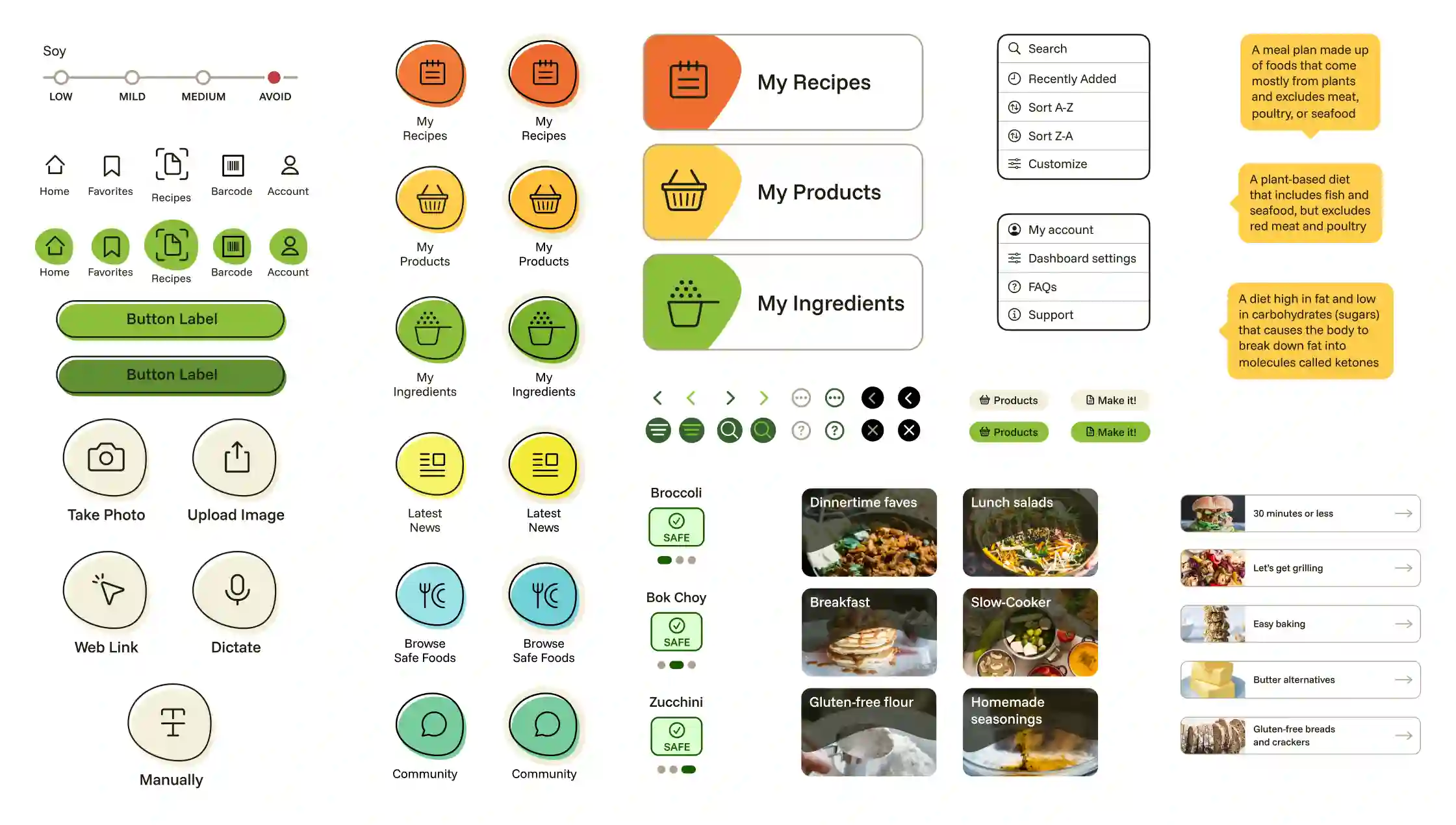
Branding decisions were guided by the need to communicate safety, confidence and approachability without feeling clinical or restrictive. A reusable component library was created to maintain visual consistency, improve accessibility and support future feature expansion.
Test & Iterate
Testing the prototype for usability and final delivery.
Key comparisons
Moderated usability testing was conducted with participants to evaluate core flows and validate key design decisions. Users were asked to complete three critical tasks to uncover gaps and inform refinements before final delivery.
Onboarding
Before
Users were unsure where they were in the onboarding flow. Back/next arrows were not immediately visible.
After
A progress indicator with navigation controls was introduced, helping users understand their position in the onboarding flow.
Dashboard Navigation
Before
Users were unclear about the placement and purpose of several navigation options.
After
Navigation options were reorganized and renamed to surface the most important actions. Testing also confirmed the circular navigation as intuitive and aligned with the app.
Ingredient Substitutes
Before
Users felt the content was crowded and were unsure how to interpret ingredient replacement indicators.
After
A more simplified layout and visual indicators clarified that allergen-safe alternatives were easier to identify. Users mentioned the experience exceeded expectations.
Delivery
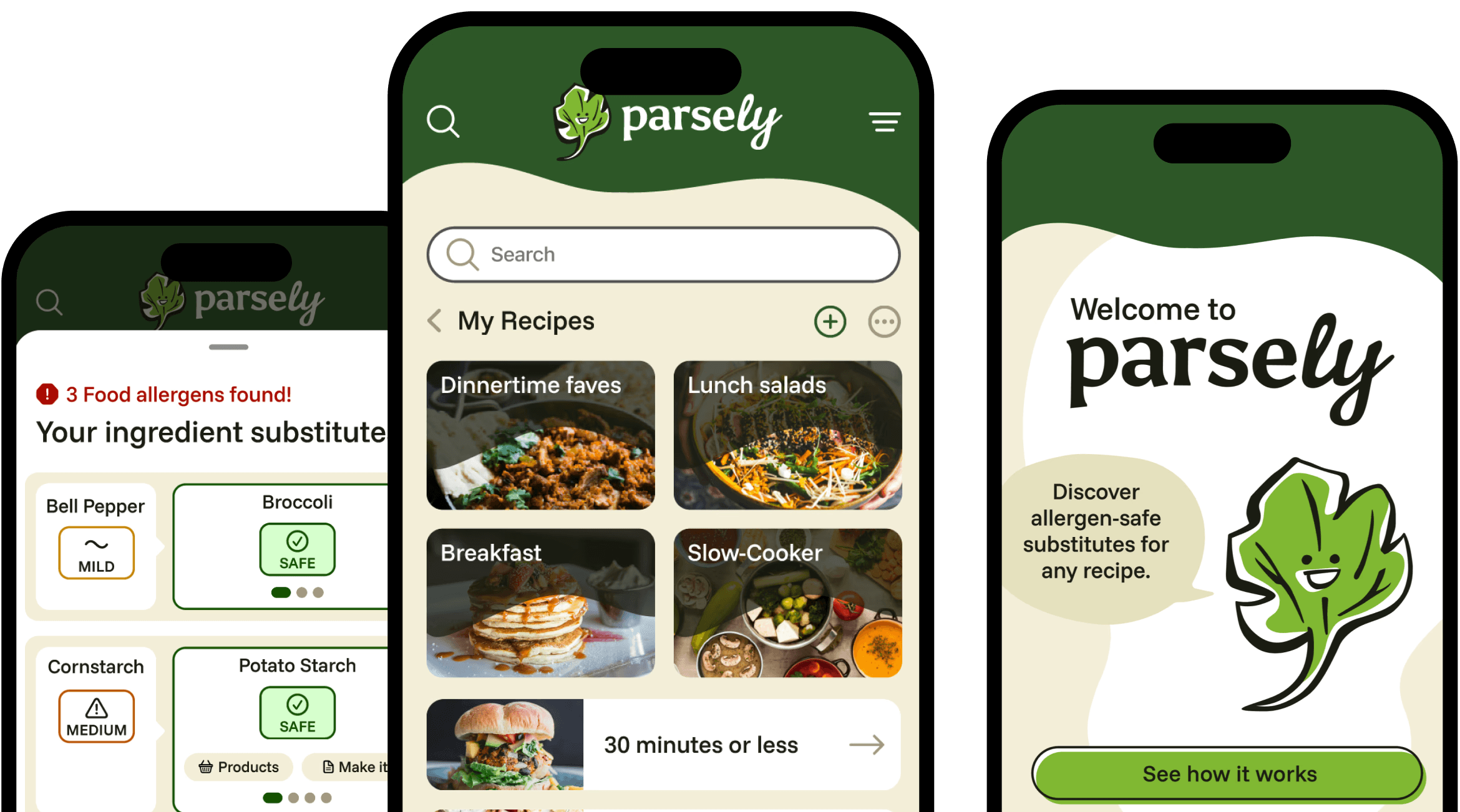
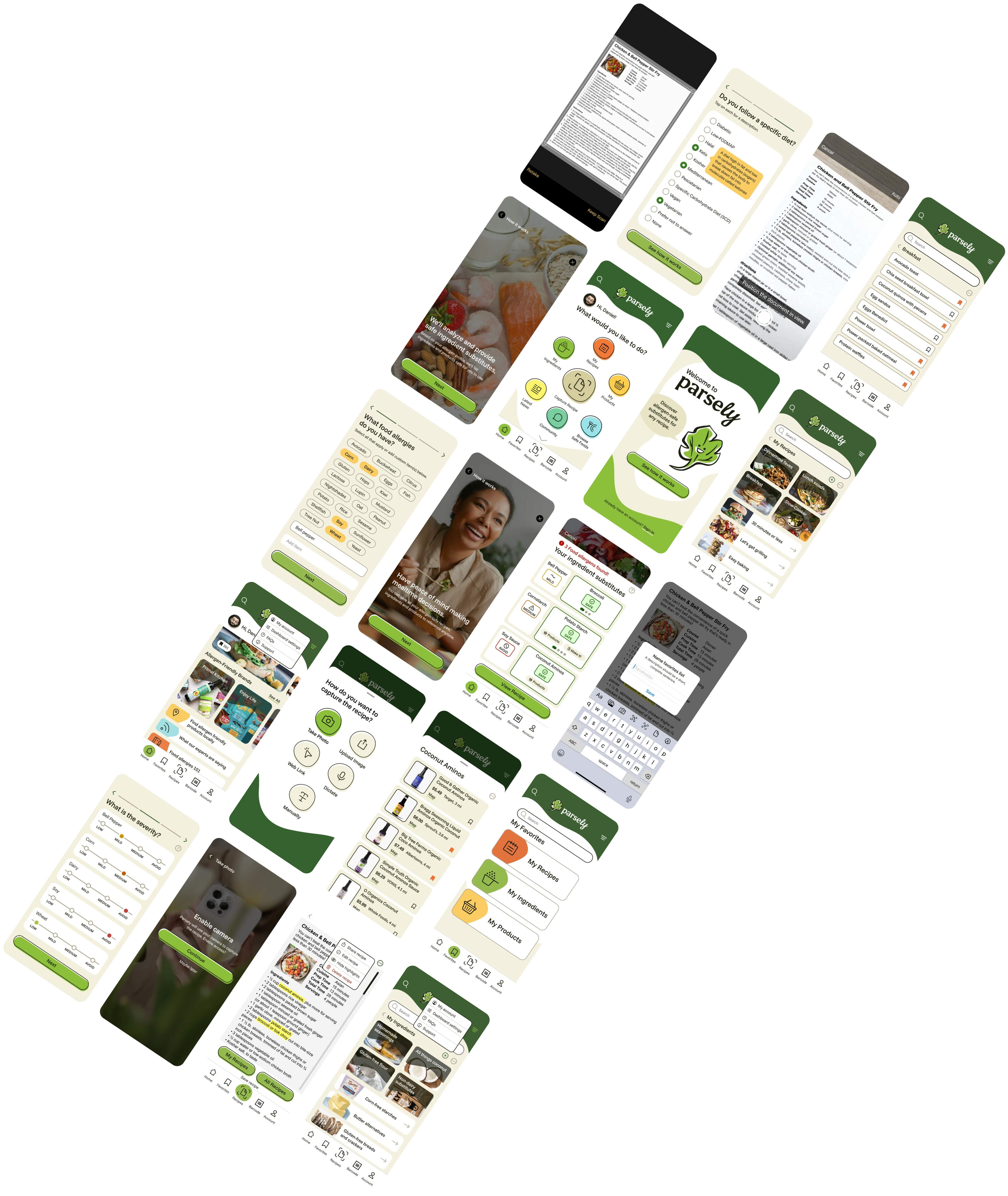
The final prototype.
This project highlighted how critical clarity and trust are when designing for health and wellness experiences. Usability testing reinforced that small changes (clearer onboarding progress, simplified flows and improved visual hierarchy) can significantly increase confidence.
Key learnings included:
•
Iteration builds trust. Testing early uncovered usability gaps that, once resolved, meaningfully improved user confidence.
•
Balance automation with control. Testing early uncovered usability gaps that, once resolved, meaningfully improved user confidence.
•
Designing for constraints matters. Limited screen space required thoughtful prioritization to keep critical information clear and accessible.
 View CV